The Stack
- Payload CMS 3 (
^3.80.0) - PostgreSQL 16 via Docker
- Next.js (bundled with Payload)
- pnpm as the package manager
- Node.js 20+
Prerequisites: Node 20 or later, Docker Desktop or Docker Engine, and pnpm (npm install -g pnpm).
PostgreSQL with Docker
Docker runs the database only. Payload itself runs on Node directly, which keeps the dev experience fast.
services:
  postgres:
    image: postgres:16
    ports:
      - "5434:5432"
    environment:
      POSTGRES_USER: payload
      POSTGRES_PASSWORD: payload123
      POSTGRES_DB: payload
    volumes:
      - pgdata:/var/lib/postgresql/data
    restart: unless-stopped

volumes:
  pgdata:
Port 5434 avoids conflicts with a local PostgreSQL installation on the default 5432. The named volume persists data across container restarts. docker compose down -v drops the volume for a clean start.
docker compose up -dScaffold the Project
pnpx create-payload-app@latestChoose PostgreSQL when prompted for the database and blank for the template. The CLI scaffolds a Next.js project with Payload integrated.
Configure the environment:
DATABASE_URI=postgresql://payload:payload123@localhost:5434/payload
PAYLOAD_SECRET=your-secret-key-change-this-in-production
NEXT_PUBLIC_SERVER_URL=http://localhost:3000
DATABASE_URI must match your docker-compose credentials and port. PAYLOAD_SECRET signs auth tokens; use a long random string in production. NEXT_PUBLIC_SERVER_URL is needed for admin panel redirects.
First Run
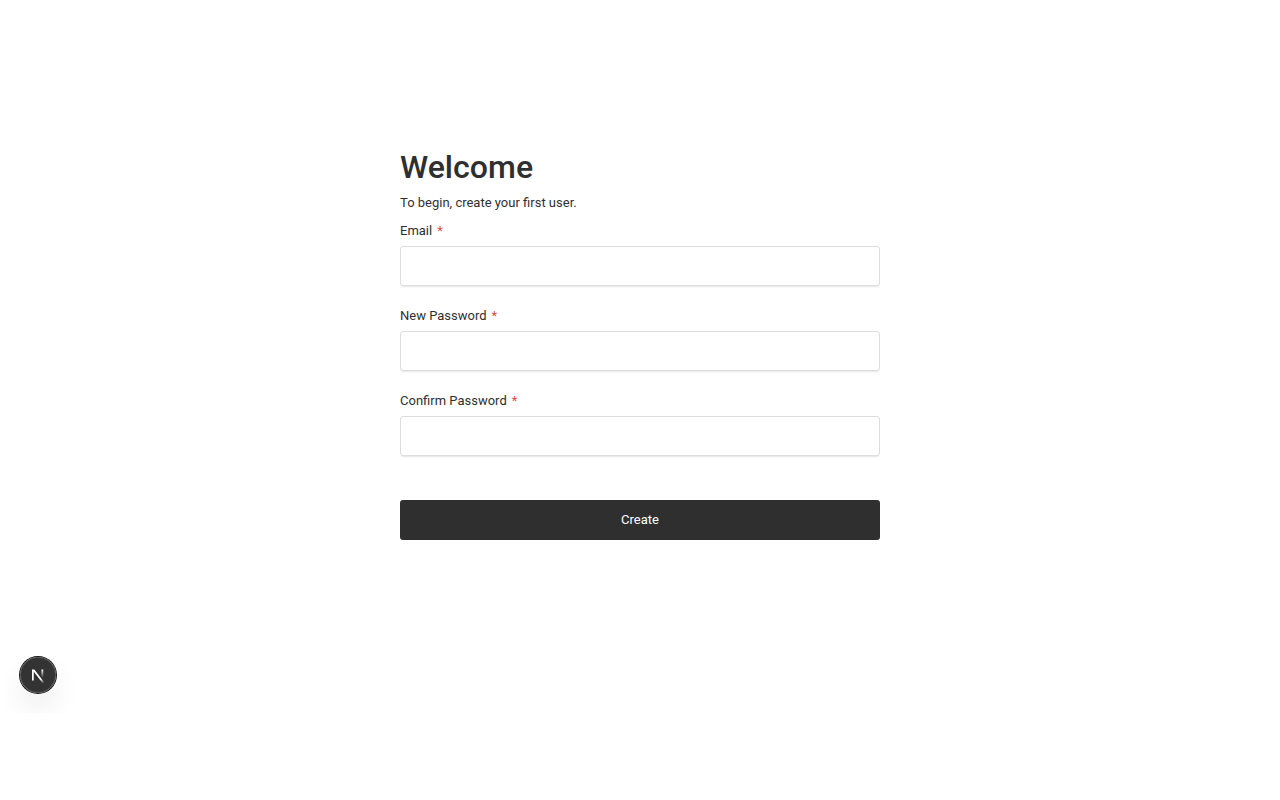
pnpm devFirst startup connects to PostgreSQL, runs migrations, and compiles the admin panel. Open http://localhost:3000/admin to create your first admin user.
The Payload Config
Everything lives in src/payload.config.ts: collections, globals, database adapter, editor, image processing.
import { postgresAdapter } from '@payloadcms/db-postgres'
import { lexicalEditor } from '@payloadcms/richtext-lexical'
import { buildConfig } from 'payload'
import sharp from 'sharp'

import { Users } from './collections/Users'
import { Media } from './collections/Media'
import { Pages } from './collections/Pages'
import { Posts } from './collections/Posts'
import { Events } from './collections/Events'
import { Programs } from './collections/Programs'
import { SiteSettings } from './globals/SiteSettings'
import { Navigation } from './globals/Navigation'
import { Footer } from './globals/Footer'

export default buildConfig({
  admin: {
    user: Users.slug,
    meta: {
      titleSuffix: ' | Monarch Park Community Trust',
    },
  },
  collections: [Users, Media, Pages, Posts, Events, Programs],
  globals: [SiteSettings, Navigation, Footer],
  editor: lexicalEditor(),
  secret: process.env.PAYLOAD_SECRET || '',
  db: postgresAdapter({
    pool: {
      connectionString: process.env.DATABASE_URI || '',
    },
  }),
  sharp,
})
postgresAdapter takes a connection string from your env. lexicalEditor is the built-in rich text editor. sharp handles automatic image resizing on upload.
Project Structure
src/
├── app/
│   ├── (frontend)/           # Public website (Next.js)
│   │   ├── layout.tsx
│   │   ├── page.tsx
│   │   └── styles.css
│   └── (payload)/            # Admin panel (auto-generated)
│       ├── admin/
│       └── api/
├── collections/              # Content models
│   ├── Users.ts
│   ├── Media.ts
│   ├── Pages.ts
│   ├── Posts.ts
│   ├── Events.ts
│   └── Programs.ts
├── globals/                  # Site-wide settings
│   ├── SiteSettings.ts
│   ├── Navigation.ts
│   └── Footer.ts
└── payload.config.ts
(frontend) is your public site. (payload) is the admin panel, generated from your collections. collections/ contains your content model definitions. No theme directory, no template hierarchy.
Collections
A collection is a content type with its own database table, admin UI, and REST/GraphQL endpoints. Define it as a TypeScript object:
import type { CollectionConfig } from 'payload'

export const Events: CollectionConfig = {
  slug: 'events',
  admin: { useAsTitle: 'title' },
  versions: { drafts: true },
  fields: [
    { name: 'title', type: 'text', required: true },
    { name: 'slug', type: 'text', required: true, unique: true },
    { name: 'description', type: 'richText' },
    { name: 'startDate', type: 'date', required: true },
    { name: 'endDate', type: 'date' },
    {
      name: 'location',
      type: 'group',
      fields: [
        { name: 'name', type: 'text' },
        { name: 'address', type: 'text' },
      ],
    },
    { name: 'featuredImage', type: 'upload', relationTo: 'media' },
    {
      name: 'status',
      type: 'select',
      defaultValue: 'upcoming',
      options: [
        { label: 'Upcoming', value: 'upcoming' },
        { label: 'Past', value: 'past' },
        { label: 'Cancelled', value: 'cancelled' },
      ],
    },
    { name: 'registrationLink', type: 'text' },
  ],
}
Save the file and restart. Payload creates the table, generates the admin form, and builds API endpoints. Key features used here:
versions: { drafts: true }enables draft/publish workflowtype: 'group'nests related fields (location name + address)type: 'upload', relationTo: 'media'creates a file upload relationshiptype: 'select'with options creates a dropdown in the admin UI
Globals
Globals are for data that exists once site-wide: settings, navigation, footer content.
import type { GlobalConfig } from 'payload'

export const SiteSettings: GlobalConfig = {
  slug: 'site-settings',
  fields: [
    { name: 'organizationName', type: 'text', required: true },
    { name: 'tagline', type: 'text' },
    { name: 'contactEmail', type: 'email' },
    { name: 'phone', type: 'text' },
    { name: 'address', type: 'textarea' },
    { name: 'charitableRegistrationNumber', type: 'text' },
    {
      name: 'socialLinks',
      type: 'array',
      fields: [
        { name: 'platform', type: 'text' },
        { name: 'url', type: 'text' },
      ],
    },
  ],
}
Access globals in the admin sidebar under their name. Access via API at /api/globals/site-settings.
Type Generation
pnpm generate:typesReads your collection and global definitions and produces payload-types.ts with TypeScript interfaces for every content type. Your frontend gets autocomplete and compile-time checking for every field. Run this after any schema change.
Gotchas
If port 5432 is taken, the Docker container fails silently. Map to a different port (we used 5434) and update .env to match.
Changing it after creating users invalidates all sessions and tokens. Pick one early and stick with it.
Schema changes do not auto-update payload-types.ts. Run pnpm generate:types after every change.
Collections require auth to read by default. Add read: () => true to the access property for public data.
If something breaks after a schema change, rm -rf .next && pnpm dev fixes most issues.